
Free for HEA members · lifetime access for everyone else
The worksheet hunt ends here
Make any printable worksheet your child needs in seconds: maths, handwriting and spelling, Foundation to Year 4. The Core Skills Studio comes with five done-for-you workbooks and a teaching-tips guide, and one payment makes it yours for life. See real sample sheets below.
One payment, no subscription. 30-day money-back guarantee.


See what is inside
Real sheets made with the studio. Pick a skill and a year level, then print or save as a PDF in a click. Clean, ready to use, with an answer key for the maths.
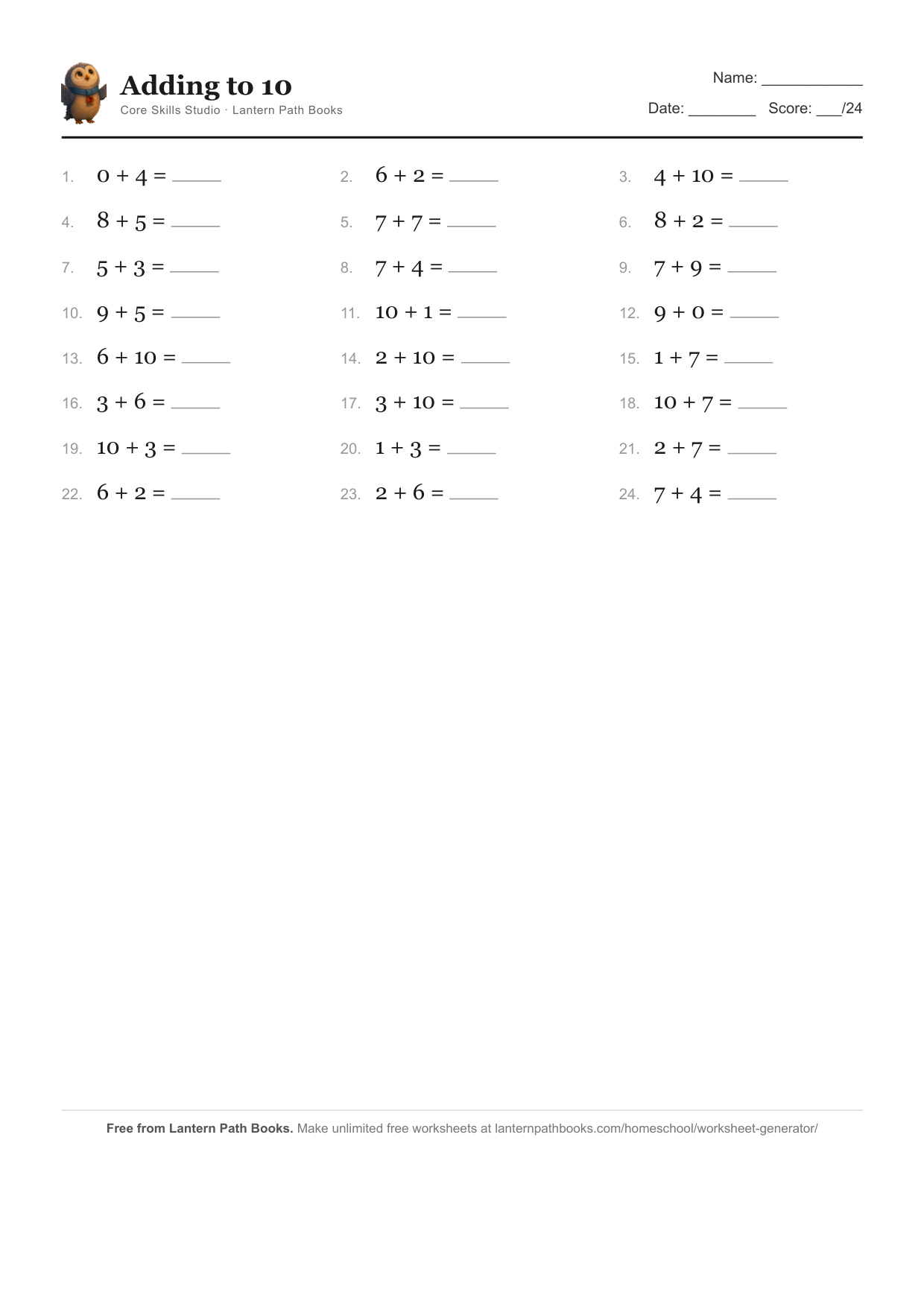
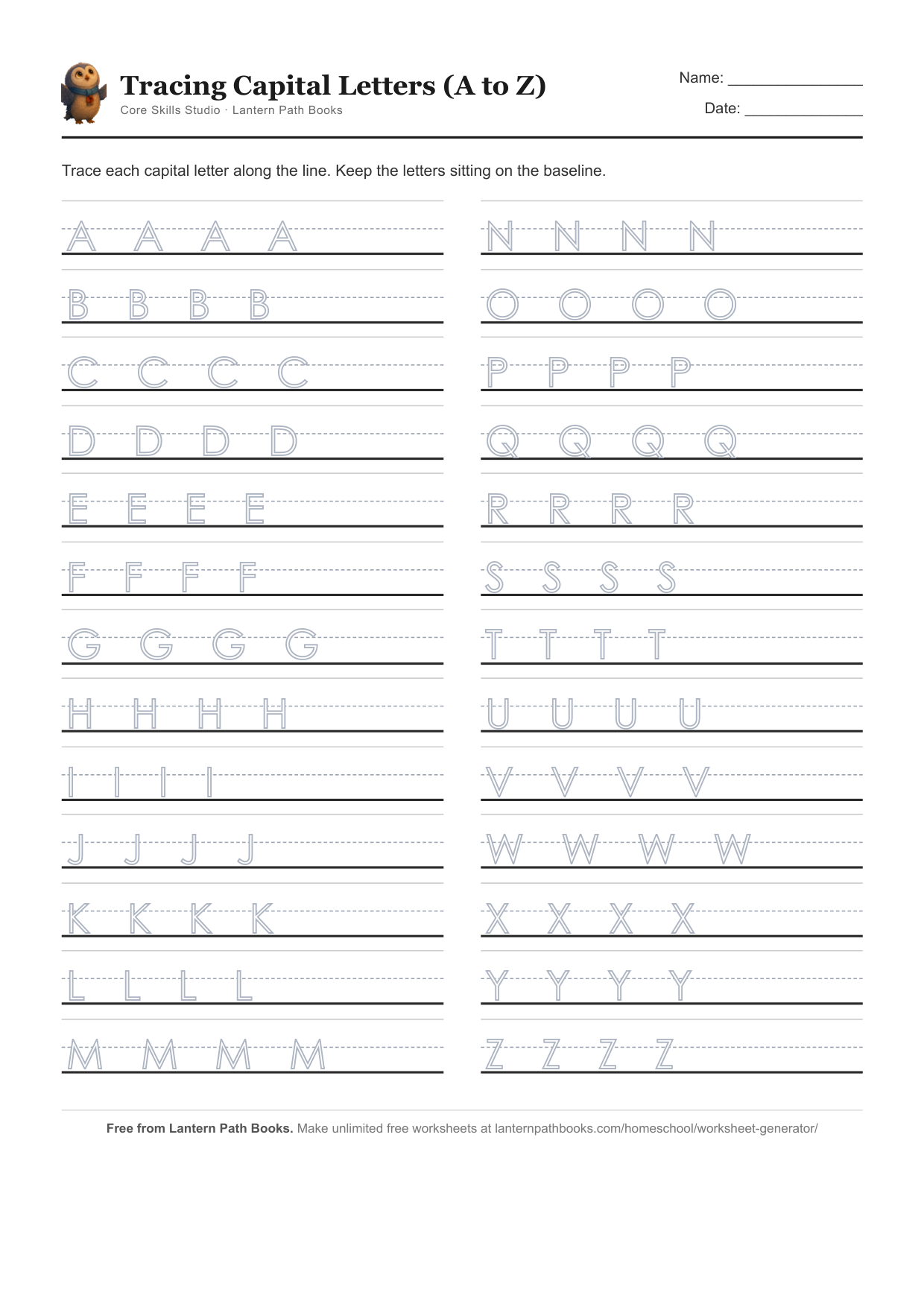
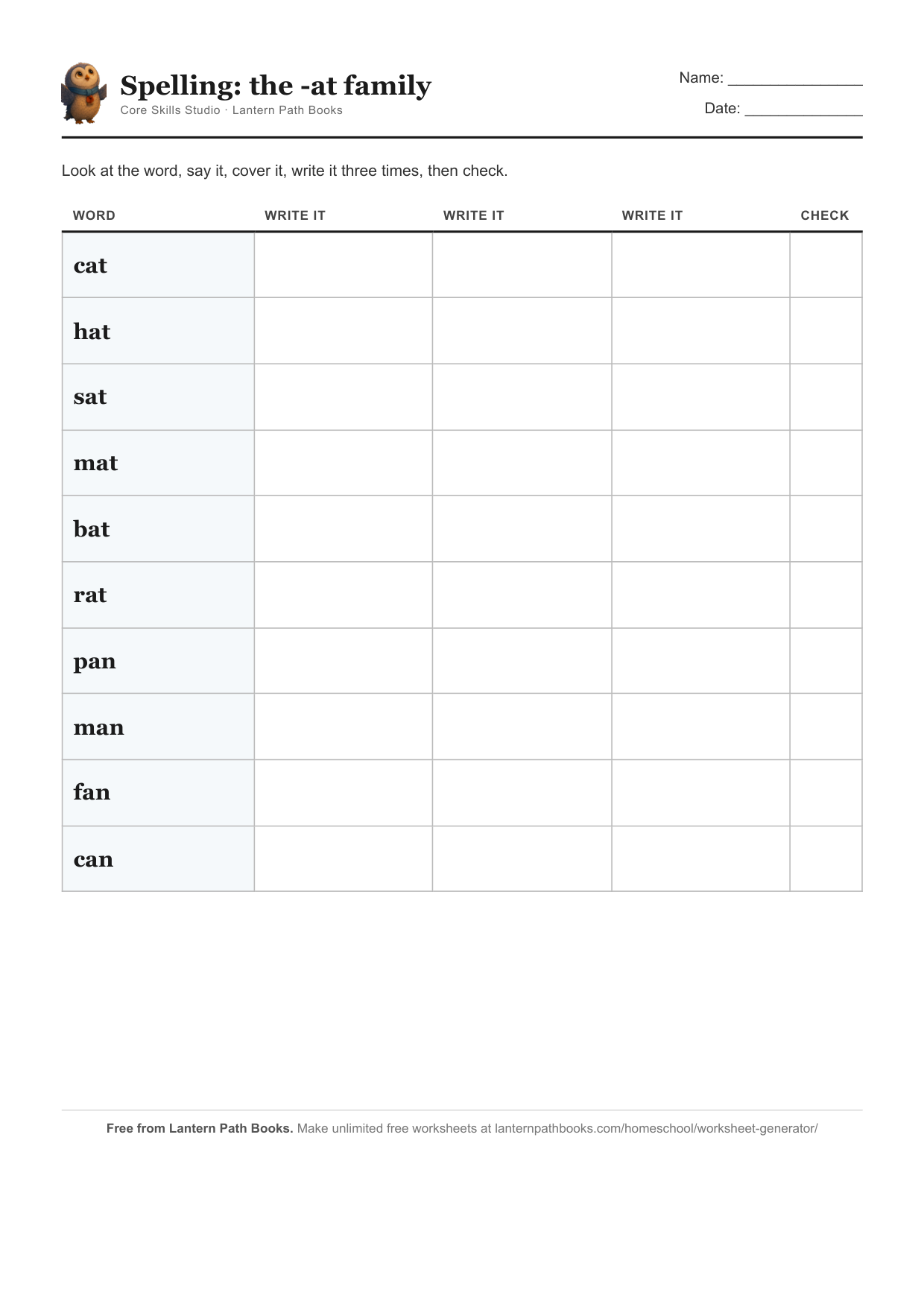
Stop paying every year for worksheets
If you teach at home, you know the hunt: scrolling for a decent times-tables sheet, signing up to yet another site, then hitting a paywall after two downloads, or printing something buried in ads. Most worksheet sites charge a subscription, around A$90 a year, every year, for the rest of primary school.
The Core Skills Studio is one payment. Make the worksheets yourself in seconds, keep the five done-for-you workbooks, and own it for life.
Your lifetime access includes
- The worksheet generator, forever. Unlimited sheets across seven skills, addition through to spelling, Foundation to Year 4. Use it as often as you like, on any device.
- Five done-for-you workbooks. A complete, graded, print-ready book for every year level, Foundation to Year 4.
- A teaching-tips guide for grown-ups. The simple shortcuts that make the times tables, number bonds and spelling click.
- Answer keys and the starter pack. Marking takes seconds, and a ready sampler lets you begin today.
- Every future pack, free. New skills and levels we add are yours at no extra cost.
Every purchase has a 30-day money-back guarantee. If the full studio is not right for your family, email us within 30 days for a full refund, and you keep anything you have already downloaded.
How it works
- Get access. Buy once for A$67 and we send you a private link, or open the free link if you are an HEA member.
- Pick a skill and a year level. Addition, subtraction, times tables, division, handwriting, the alphabet, or spelling, from Foundation to Year 4.
- Print, or save as a PDF. A clean, ready-to-use sheet appears in a click, with an answer key for the maths, plus five workbooks you can download and keep.
Every sheet practises the foundational skills set out in the Australian Curriculum (used in Queensland) and the NSW K to 6 syllabuses: counting and number facts, addition and subtraction, multiplication and division, letter formation and handwriting, and spelling.
Made with care in Australia by Lantern Path Books, a small independent publisher of gentle picture books. If you would like a calm story to read together at the end of a learning day, meet Oliver and the Lantern Path (that is Oliver the owl and his friend Mira the fox, just above).
Teaching tips for grown-ups
A few simple shortcuts make the core skills click. Little and often works best: ten quiet minutes a day beats an hour once a week.
- Skip counting is the way into the times tables. Practise counting out loud in steps: 2, 4, 6, 8, then 5, 10, 15, then 3, 6, 9. Once a child can rattle off a count, they already know that times table. The multiplication facts are just those same numbers.
- The order never matters. 3 × 8 is the same as 8 × 3, so every fact you learn really teaches two.
- Division is the times tables backwards. 24 ÷ 6 just asks how many 6s make 24, so knowing 6 × 4 = 24 means they already know 24 ÷ 6 = 4.
- Learn the pairs that make 10 (1 and 9, 2 and 8, 3 and 7, 4 and 6, 5 and 5) by heart. They make bigger sums, and the bonds to 100, much easier.
- The nine times table has a trick: the answer’s two digits always add up to 9 (18, 27, 36), and 9 × a number is one less than 10 × it.
- For spelling, break long words into chunks you can hear (be-cause, Sat-ur-day), and practise a few words a day with Look, Say, Cover, Write, Check, covering the word before they write it from memory.
Every downloadable workbook opens with a one-page Teaching Tips sheet tailored to that year level, so you always have the shortcuts to hand.
Common questions about lifetime access
Is it really a one-time payment?
Yes. You pay once and the Core Skills Studio is yours for life: the worksheet generator, all five year-level workbooks, and every future update. There is no subscription.
Can I try it before I buy?
You can see real sample sheets on this page, and every purchase is covered by a 30-day money-back guarantee, so you can try the full studio risk-free. If it is not right for your family, email us within 30 days for a full refund.
How do I get access after I buy?
The moment you buy, Payhip sends you a private link to your studio, plus the five workbooks to download. Open the link on any device to make worksheets whenever you like, for life.
What does lifetime access include?
Unlimited use of the worksheet generator, the five workbooks from Foundation to Year 4 (yours to download and keep), a teaching-tips guide and answer keys, and every new pack we add, free.
What year levels and skills does it cover?
Foundation (Prep) to Year 4, across the core early-years skills: addition, subtraction, times tables, division, handwriting, the alphabet, and spelling. It practises the foundational skills in the Australian Curriculum (used in Queensland) and the NSW K to 6 syllabuses.
I am a Home Education Association member. How do I get it free?
It is our gift to you. The Home Education Association shares a private link with its members. Open it and the whole studio is yours free, the generator and all five workbooks, with nothing to buy.
Own every worksheet your child needs, for life
One payment of A$67. The generator, five workbooks, the teaching tips, and every future pack, yours forever. Or get it free as a Home Education Association member.
30-day money-back guarantee. No subscription, ever.